.svg)
Logging into your Civic Champs account utilizes the contact information you verified during account creation as your username, either an email address, or a cell phone number. If you're struggling to get past the log in screen, you'll want to go through the following checklist:
- You'll first want to make you're using the right bit of contact information as your username. This will be the verified email address or phone number you used when creating your account, either where your account creation invitation was sent, or the 6-digit verification code. Your org admin can assist with this as well, because your volunteer account has verified contact information denoted with a checkmark:
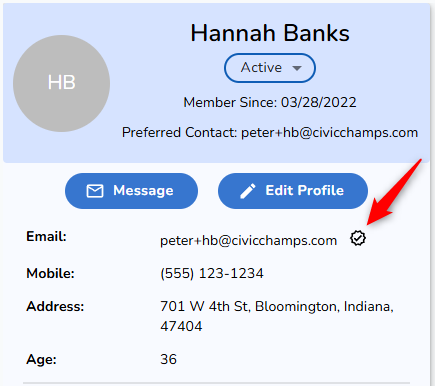
- Enter this into the top field of any login pathway, making sure to not include any leading or trailing spaces, and that everything is spelled correctly. For phone numbers, Civic Champs can accommodate multiple phone number formats, but it is recommended to put as few special characters in the login as possible to keep things simple. You can also ignore the country code. For example entering: "5555555555" instead of "+1 (555) 555-5555".
- If you're logging into the web Event Calendar, you'll know you got this first step right if it says:
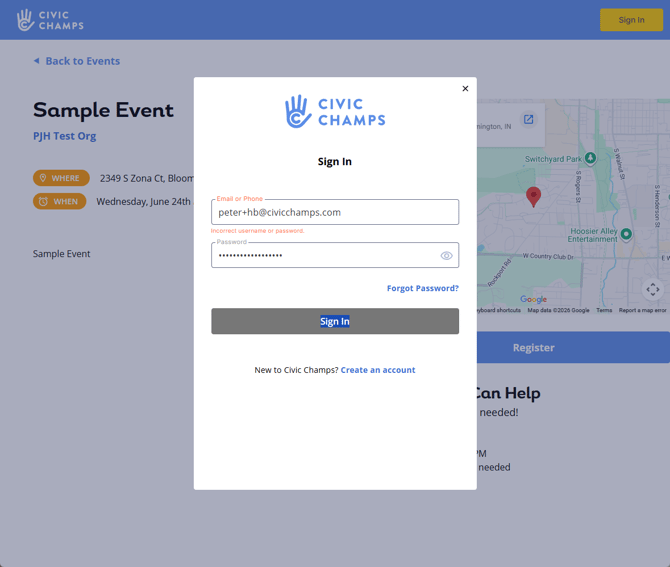
This error message actually is a bit of a fib -- it really just means you entered the wrong password. If you're getting this message, you can either try a different password, or go through the Forgot Password interface to reset it (using the same email or phone number that you just tried to log in with). - If it instead says "User does not exist. " it means the system is not recognizing your login at all, and you'll want to first check for typos, or any additional spaces that might be in the field. If everything looks correct, it means you may have verified different contact information during account creation, and you'll either want to try another login (for example, your phone number instead of your email address), or reach out to someone at your volunteer organization for them to check what you have verified.
- If you're logging into the mobile app, the check for this is only in the Password Reset pathway, where you'll want to ensure you're not receiving the following message:
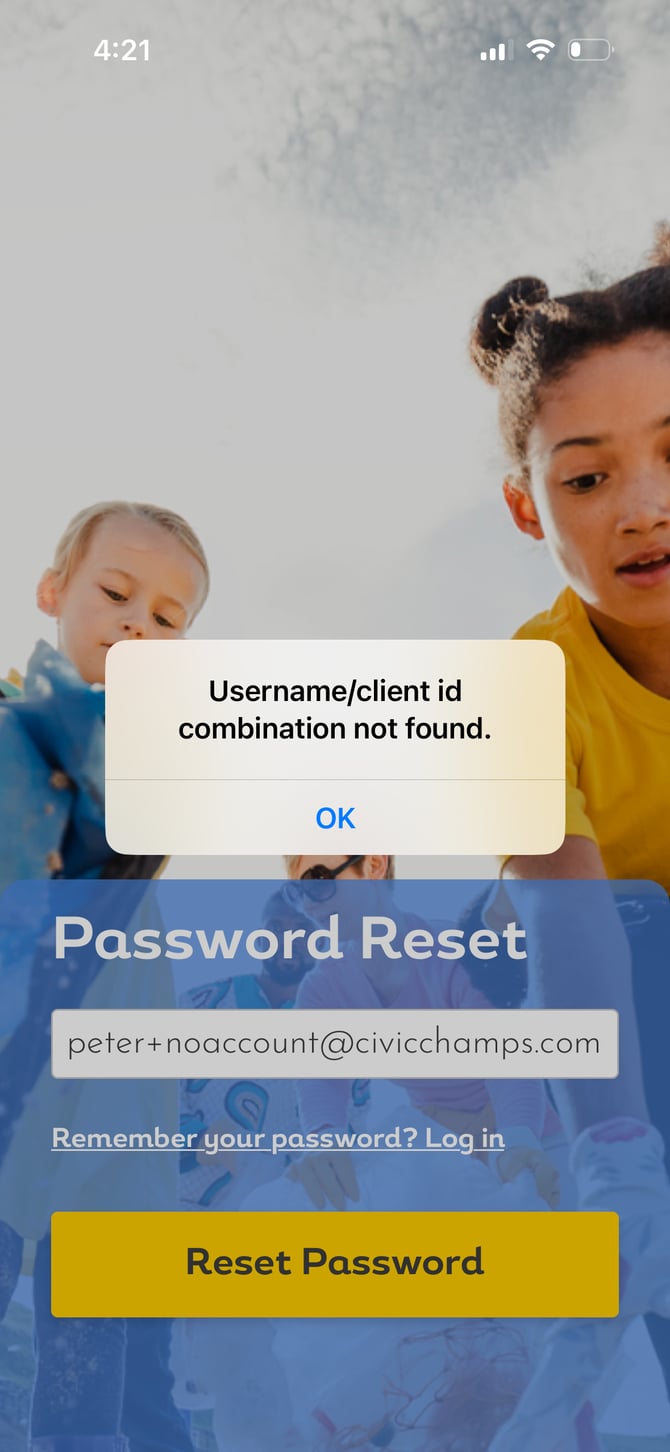
Same as above, this message means your login is either being entered incorrectly, or isn't in the system at all, and you'll want to check for typos, or try a different email address or phone number. - Finally, if you're receiving any error message not shown above, or have tried every login you can think of and nothing is still working, you should reach out to help@civicchamps.com, and we can take a look. It especially helps if you let us know the organization you're volunteering with, so we have a bit of context about your account ahead of time.